
Rizo: AI Photo Video Maker
8 squareVideo Players & Editors
4.42.00 Reviews
- Version
- 1.1.0
- Installs
- 10.00K
- Age Rating
- Everyone
Screenshots
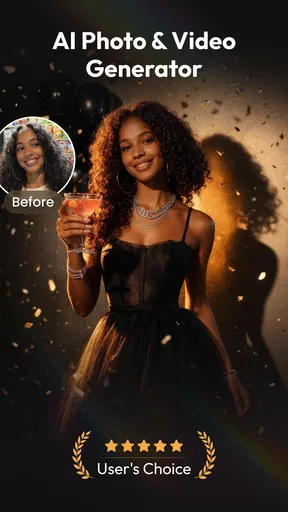
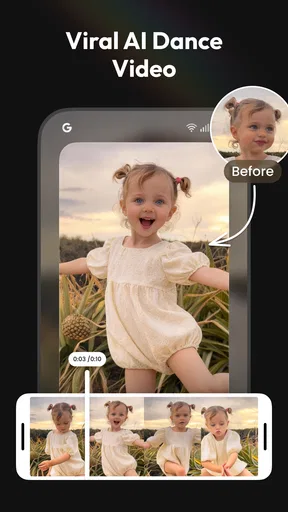
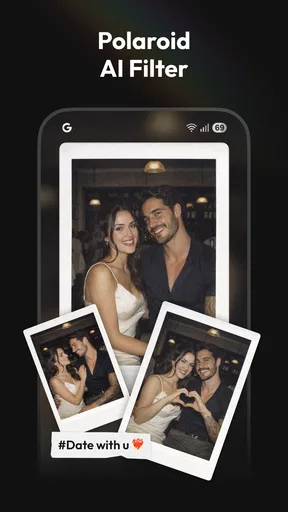
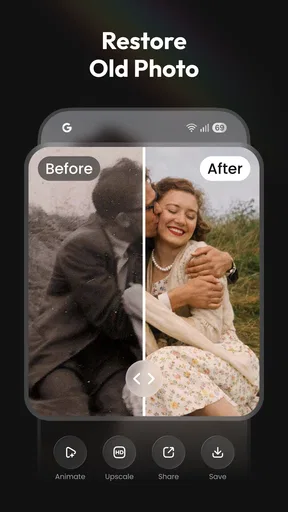
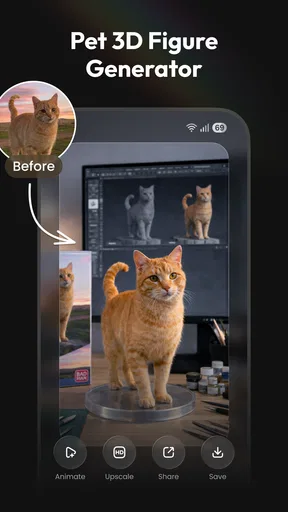
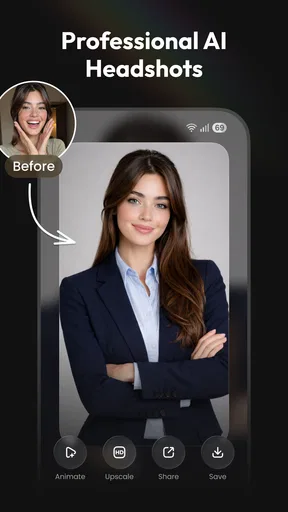
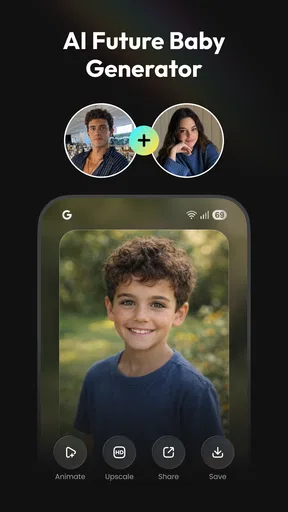
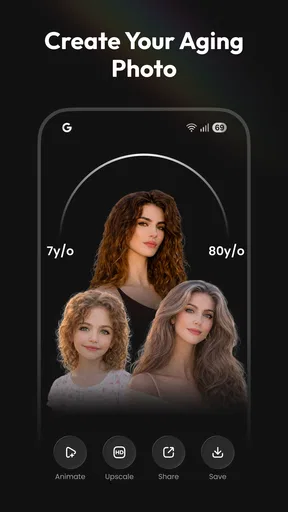
Our Review of Rizo: AI Photo Video Maker
 Analysis by Appyee
Rizo: AI Photo Video Maker caught my attention because it sits between a quick creative toy and a practical editing tool. It is an Android app from 8 square in the Video Players & Editors category, built around AI-assisted photo and video creation. In my first sessions, the appeal was easy to understand: I could start with a photo and explore ways to turn it into something more animated, polished, or shareable without opening a full desktop editor.
The store summary points to several uses, including AI photo creation, AI video generation, AI dance effects, headshots, and photo-to-video work. That combination makes the app feel broader than a single-purpose filter tool. At the same time, breadth can create a problem: an app may be exciting for a few days but fail to become part of a regular routine. My main question after trying it was not whether Rizo can produce an interesting result. It can. The more important question is whether those results are useful enough to justify keeping the app installed.
My short answer is that Rizo is strongest as a low-effort creative shortcut, not as a replacement for a complete video editor. If you enjoy experimenting with portraits, social clips, and photo-based animation, there is a clear reason to try it. If you need precise timelines, detailed audio editing, repeatable brand templates, or dependable professional control, the usual editing alternatives remain better suited.
Why the first week feels so appealing
The first-week experience is driven by immediacy. Traditional video editing asks me to think about clips, cuts, transitions, aspect ratios, and timing before I see a finished idea. Rizo approaches the process from the other direction: I begin with an image or a creative goal, then let the app’s AI-focused tools suggest a direction. That makes it approachable when I have a good photo but no clear editing plan.
This is especially useful for people who do not want to learn a complex interface. A family photo can become a small visual greeting. A portrait can be explored as a headshot concept. A still image can be used as the starting point for a short video idea. The value is not only the final file; it is the way the app reduces the blank-page feeling that often stops casual users from making anything at all.
I also like the fact that the app is aimed at several familiar situations rather than one narrow creative style. Someone preparing a social post may approach it differently from someone making a birthday message or testing a profile image. The same starting photo can support different experiments, which gives the first few sessions a sense of discovery.
The AI dance angle is a good example of that early novelty. It is the kind of feature that encourages me to test an ordinary portrait simply to see how the result changes. That can be fun with friends, family, or a personal archive of older pictures. It is also the kind of feature most likely to lose its charm if every result feels similar, so I would treat it as an occasional creative option rather than the app’s entire reason to exist.
Rizo is free to install, which lowers the barrier to trying those ideas. The app is rated for Everyone, making its general positioning accessible to a wide audience. Its current version is 1.1.0, and the Android requirement is version 11 or newer, so anyone using an older device should check compatibility before planning around it.
A practical first-week workflow
My preferred way to approach an app like this is to avoid uploading a large collection of photos immediately. I would begin with three kinds of source material: a clear face in good light, a full-body image with enough space around the subject, and a landscape or object photo. This small test set reveals more than repeatedly processing similar selfies. It helps show which creative direction fits the app best for my own library.
For a realistic everyday scenario, imagine that I want to send a birthday message to a friend but do not have time to assemble a full montage. I could choose one strong photo, try a photo-to-video treatment, and compare it with a more playful dance-style result. If one version feels natural, I can share that rather than spending an evening learning a timeline editor. That is a genuine strength: Rizo can turn a vague intention into a presentable experiment quickly.
A second useful workflow is preparing a profile refresh. Instead of using the first generated portrait immediately, I would create several variations from the same carefully chosen source image, then compare them at thumbnail size. A result that looks impressive full-screen may become unclear when cropped into a small avatar. Checking it at the size where it will actually be seen is a simple step, but it prevents the common mistake of judging an AI image only on a large preview.
The same principle applies to headshots. I would use the tool for ideas and quick alternatives, not assume that every generated version represents me accurately. Small changes in face shape, hair, clothing, or expression can make a polished image feel less like a real person. For a casual social profile that may be acceptable; for an application, professional page, or identity-sensitive use, authenticity matters more than novelty.
Where it compares well with ordinary editors
Compared with a conventional mobile video editor, Rizo has a different advantage. A timeline-based app gives me control, but it also expects me to supply the creative decisions. I must choose the motion, pacing, transitions, and visual treatment. Rizo is more appealing when I want the app to help generate the concept from a photo instead of manually constructing every step.
That makes it a good companion to a standard editor rather than an automatic replacement. I could use Rizo to create an unusual starting clip, then move to another tool for trimming, captions, music placement, or a precise sequence. This two-app workflow is more realistic than expecting one AI creator to handle every stage equally well.
Compared with basic social-media effects, the photo-to-video and portrait-oriented focus gives Rizo a more deliberate creative purpose. A social platform is convenient when I are already posting, but its effects are often tied to immediate sharing. Rizo makes more sense when I want to prepare or test a visual before deciding where it belongs.
There is also a trade-off. Conventional editors are predictable once I learn them. AI generation is more exploratory, but the same input may not always produce the exact result I imagined. Users who prefer repeatability may find the creative freedom less useful than a simple manual animation with fixed settings.
What remains valuable after the novelty fades
The first week is about trying everything. Month-to-month value depends on whether Rizo solves recurring small problems. I can see lasting use for people who regularly create personal greetings, refresh social images, make short visual posts, or keep a photo archive that deserves more life than a static gallery provides.
The strongest recurring use case is probably occasional photo-to-video creation. Many people have meaningful photos but do not want to build a full slideshow. A short animated treatment can make an old image feel suitable for a message or a temporary post. The app earns its place when that need appears repeatedly, even if it happens only a few times each month.
Headshot tools can also provide repeat value during a period of profile changes. Someone applying for work, joining a community, or updating several online accounts may appreciate having a quick way to explore different presentations. I would still keep the original photo and treat generated versions as drafts. The practical benefit is comparison and convenience, not blind replacement of a real portrait session.
AI dance creation has a more seasonal kind of value. It may be useful for a party, a group joke, a celebration, or a trend-inspired post. I would not expect to use it every week, but that does not make it worthless. Some apps earn a permanent place through occasional moments rather than daily repetition. The question is whether those moments happen often enough for me to remember the app when they arrive.
AI photo creation may have the widest long-term potential, but it is also where personal taste matters most. If I like turning ordinary images into imaginative concepts, I can return often. If I mainly want accurate edits to existing photos, a traditional retouching app may provide more dependable value. Rizo is better for transformation and exploration than for careful, invisible correction.
How I would build a repeatable habit
To keep the app from becoming a forgotten novelty, I would give it a specific role in my creative routine. For example, I might reserve it for turning one meaningful photo each month into a short visual message, or for preparing a small set of profile-image ideas whenever my accounts need updating. A narrow habit is more sustainable than opening the app whenever I feel vaguely bored.
I would also keep a separate folder of source images that are suitable for experimentation. Clear subjects, uncluttered backgrounds, and strong expressions generally give an AI tool more useful material to work with than dark, blurry, or crowded shots. This is not a guarantee of a perfect result, but it makes comparisons fairer and reduces the temptation to blame the app for a weak source photo.
Another practical tip is to judge results in context. A video that looks fun in the editor may feel too intense when sent privately to one person. A headshot that works as a small profile image may look artificial when displayed large. I would preview each creation in the place where I intend to use it, because the right result is not necessarily the most dramatic one.
For recurring projects, I would save the original images outside the app and note which style produced the most natural outcome. That small record helps avoid repeating unproductive experiments. It also protects the creative process from becoming dependent on memory, especially when I return after several weeks and no longer remember which source image worked best.
The maintenance burden is mostly creative, not technical
Rizo does not demand that I become a video editor, but it does ask me to manage expectations. AI tools can make the process feel effortless while still requiring careful selection, comparison, and cleanup. The maintenance burden comes from deciding what is worth keeping, checking whether faces and proportions look convincing, and removing results that are entertaining but unusable.
Storage is another practical consideration. Generated images and videos can accumulate quickly when experimentation is easy. I would periodically review the output folder and keep only the versions that have a real purpose. Otherwise, the app can create more clutter than value, particularly for someone who already has a crowded camera roll.
There is also a financial maintenance question. The app is free, but in-app purchases range from $4.99 to $39.99 per item. That means the no-cost entry point is useful for testing, while more ambitious or frequent use may lead to spending decisions. I would not pay simply because a single result looks impressive. I would first ask whether I have a repeated workflow and whether the paid option saves enough time or adds enough creative range to justify itself.
That pricing range makes the app less suitable for users who want unlimited experimentation without thinking about cost. Before committing to a purchase, I would identify the exact task I expect to repeat and decide on a personal limit. The important trade-off is not just the price of one item; it is whether occasional curiosity could turn into repeated purchases without producing work I actually share or keep.
What causes fatigue over time
The main source of fatigue is the gap between a surprising result and a useful result. AI-generated motion can be entertaining, but entertainment alone may not support a lasting habit. If several attempts produce variations that feel interchangeable, I lose motivation quickly. Rizo needs enough variety in my own projects to stay relevant, and not every user will have that much material.
Another source of friction is the need to curate. A manual editor gives me a clear sense that the outcome reflects my decisions. An AI creator may produce something polished but slightly wrong in a way that is difficult to fix. A face can look too smooth, an expression can feel unlike the subject, or movement can distract from the original image. When the result is close but not quite right, I may spend more time rejecting versions than creating something I want.
This is why I would skip Rizo for projects that require exact control. If I need a carefully timed product demonstration, a multi-scene story, a caption-heavy tutorial, or a consistent series with matching visual rules, a conventional editor is the better choice. Rizo’s strength is the leap from still image to creative concept, not detailed production management.
I would also skip it when the original image is sensitive or when accuracy is essential. A generated headshot should not be treated as a neutral record of appearance. For informal use, artistic variation may be fine. For identity, work, official communication, or situations where another person could be misled, I would choose a real photograph or a tool with more transparent manual control.
The app’s age rating of Everyone makes it broadly approachable, but that does not remove the need for adult judgment around images, sharing, and consent. I would ask permission before transforming someone else’s portrait, especially when the result changes how that person appears. That is a sensible habit with any AI image tool and becomes more important when playful effects can be shared quickly.
Who should install it, and who should pass
I would recommend Rizo to casual creators who want to animate photos, test AI portrait ideas, or make short visual messages without learning a complex editor. It is also a good fit for people who enjoy experimenting with their camera roll and are comfortable treating generated output as a starting point rather than a guaranteed final product.
It may suit a social-media user who posts occasionally and values speed over fine control. It can also work for families and friend groups that want a playful way to revisit photos, provided everyone is comfortable with the transformations. The app’s broad creative focus gives it more chances to be useful than a tool dedicated to one effect alone.
I would pass if my main goal is professional editing, precise storytelling, or a reliable production workflow. I would also pass if I dislike reviewing multiple variations, if I need complete predictability, or if I am likely to purchase creative effects impulsively. A standard editor may feel slower at first, but it will usually be more dependable for repeatable output.
The app has reached over ten thousand installs and holds a 4.4 average from around three thousand ratings, which suggests that its concept has found an audience. I treat those figures as a sign of interest rather than proof that it will fit my routine. The real test is whether I can name a recurring task for it after the initial experiments are over.
My long-term verdict
After the novelty fades, Rizo remains worthwhile when I use it as a focused creative assistant. Its best contribution is making photo-based video and AI portrait experimentation feel approachable. It can help me move from “I should make something with this photo” to an actual draft without the setup and technical decisions demanded by a traditional editor.
It does not earn permanent space merely because it offers several fashionable AI treatments. For lasting value, I need a repeatable reason to return: monthly greetings, profile refreshes, occasional portrait concepts, or playful projects with friends. Without one of those habits, the app may become a short-lived experiment that takes up storage after the first burst of curiosity.
My recommendation is to install it, test a small and varied set of images, and judge the results at their intended sharing size. Keep the original photos, compare generated versions carefully, and decide in advance whether paid items would support a real recurring workflow. That approach gives the free experience a fair chance without confusing novelty with usefulness.
Rizo earns a place on my phone for quick, imaginative photo-to-video work, but not as my only editor. I would keep it alongside a conventional video tool, use it when I want an AI-generated starting point, and remove it if my experiments stop producing anything I genuinely want to share. Released on May 10, 2026, and developed by 8 square, it has a clear appeal; its lasting value depends on whether that appeal becomes part of my actual creative routine.
Verdict
Strengths of Rizo: AI Photo Video Maker
- Turns photos into short AI-generated videos with minimal effort.
- Offers creative templates for social media posts and stories.
- Simple interface makes basic editing accessible to beginners.
- Can add music, effects, and transitions to personalize creations.
- Useful for creating animated memories from ordinary still images.
Limitations of Rizo: AI Photo Video Maker
- AI results may look unnatural with complex poses or busy backgrounds.
- Some features and export options may require a paid subscription.
- Processing can take time, especially for high-resolution images.
- Output quality may vary noticeably between different photos.
- Frequent effects and templates can make the app feel repetitive.
Similar Picks in This Category
View All
Google TV
Google LLC3.9

iTunes
Apple4.7

YouTube
Google LLC3.8

MX Player
Amazon Mobile LLC4.2

CapCut - Video Editor
Bytedance Pte. Ltd.3.5

PLAYit-All in One Video Player
PLAYIT TECHNOLOGY PTE. LTD.4.5
Frequently Asked Questions
What is Rizo: AI Photo Video Maker used for?
Rizo: AI Photo Video Maker is designed for creating short, visually engaging videos from photos and other media. It typically combines images with music, transitions, effects, templates, and AI-powered editing tools, making it useful for social media posts, stories, slideshows, birthday memories, travel recaps, and promotional content without requiring advanced video-editing experience.
Is Rizo: AI Photo Video Maker free to download and use?
The app may be available to download at no initial cost, but some creative tools, templates, effects, export options, or premium content can require in-app purchases or a subscription. Before starting a trial, check the store listing and the payment screen carefully. Also review renewal terms, because free trials may automatically convert into a paid subscription unless canceled in time.
Can I use my own photos, videos, music, and text in Rizo?
Rizo generally focuses on turning personal media into customized videos, so users can usually select photos or clips from their device and add text, music, filters, and transitions. Available import and editing options can vary by device version and app update. Make sure you have permission to use any music, images, logos, or other copyrighted material included in your project.
Does Rizo require an internet connection, and is my content private?
An internet connection may be needed for downloading templates, accessing AI features, loading effects, processing certain projects, or exporting content through online services. Privacy can depend on which tools you use and how the app processes media. Before uploading personal photos or videos, read the current privacy policy and review the permissions requested by the application.
How do I save or share videos created with Rizo?
After editing a project, Rizo normally provides an export or share option that lets you save the finished video to your device or send it to compatible social and messaging platforms. Export quality, resolution, duration, and watermark restrictions may depend on the selected template or your subscription plan. Keep the app open during processing and ensure sufficient storage space for the final file.
